 Speisando
Define brand effect
Do you want a calm classic look or a bold urban one?
All templates offer the same menu, checkout and order features. You choose the look and feel, not a different feature set.
Choose by audience, brand effect and daily operations.
Do you want a calm classic look or a bold urban one?
Check how quickly regular guests find menu, cart and checkout.
Because content is system-editable, daily usability is key.
Differences are visual style and brand expression. Commerce core remains the same.
Dark Modern
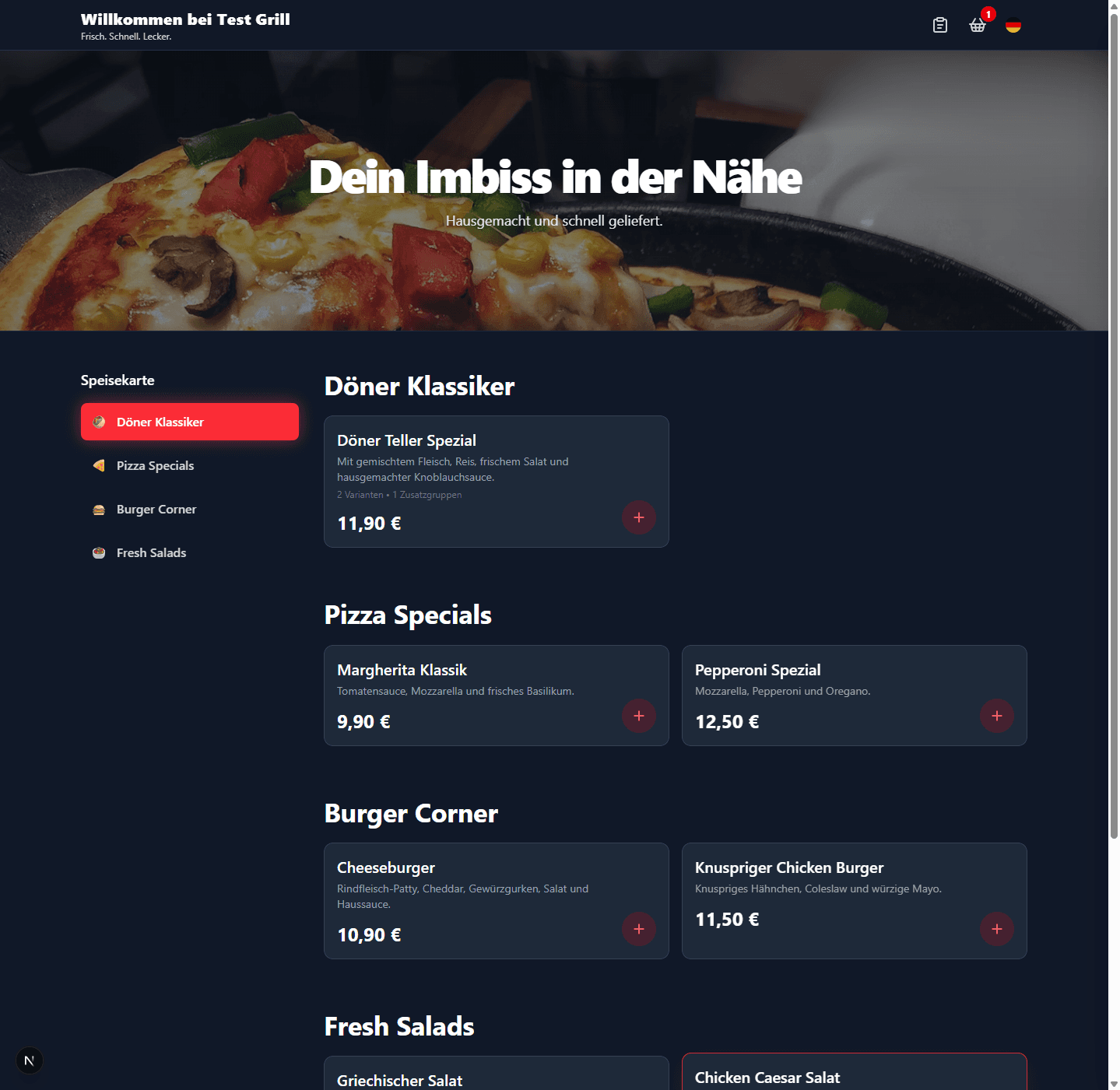
Best for dynamic delivery-heavy or evening-focused brands.
Clean Classic
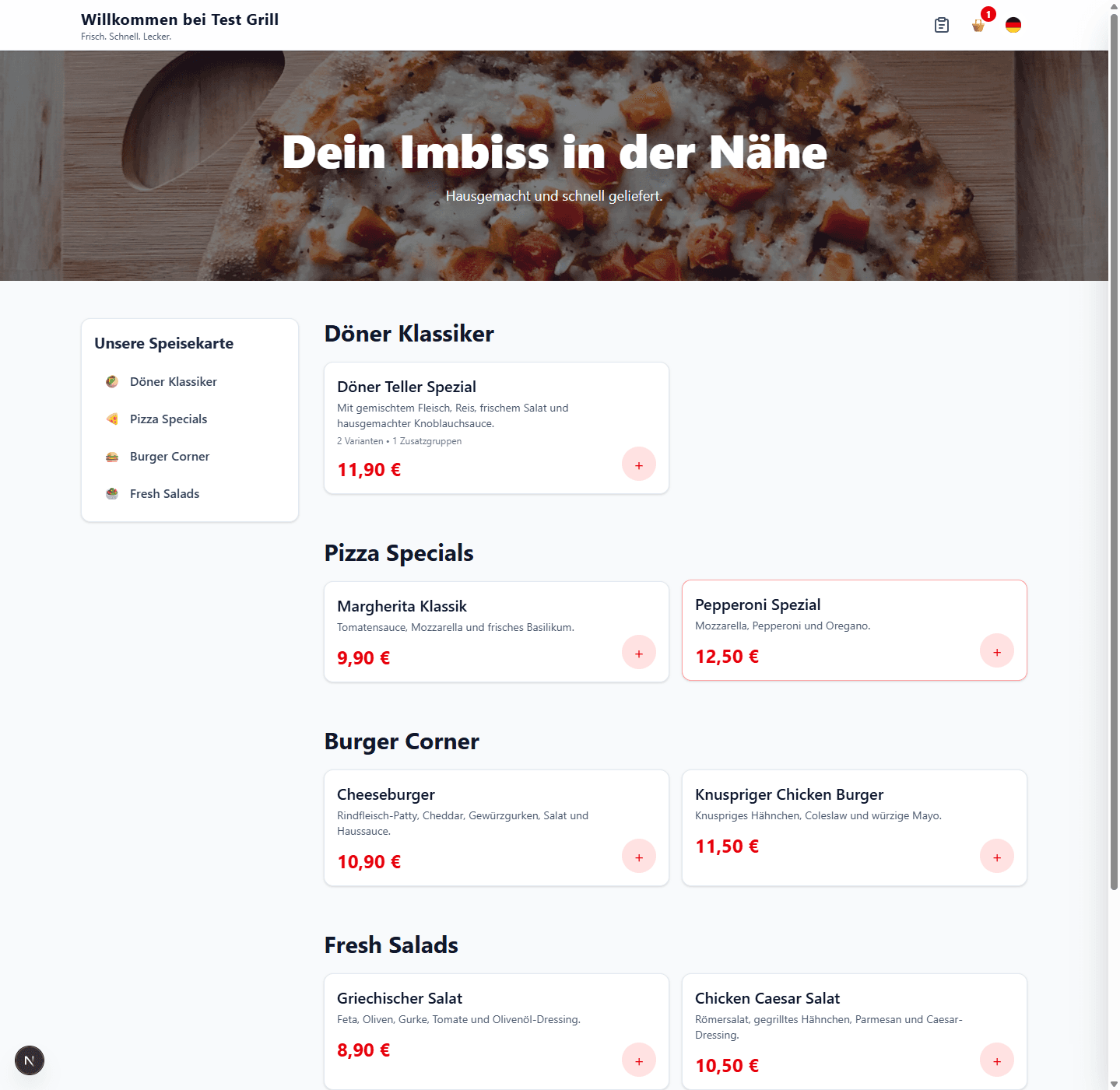
Best for broad audiences that value clarity and familiarity.
Bold Neon
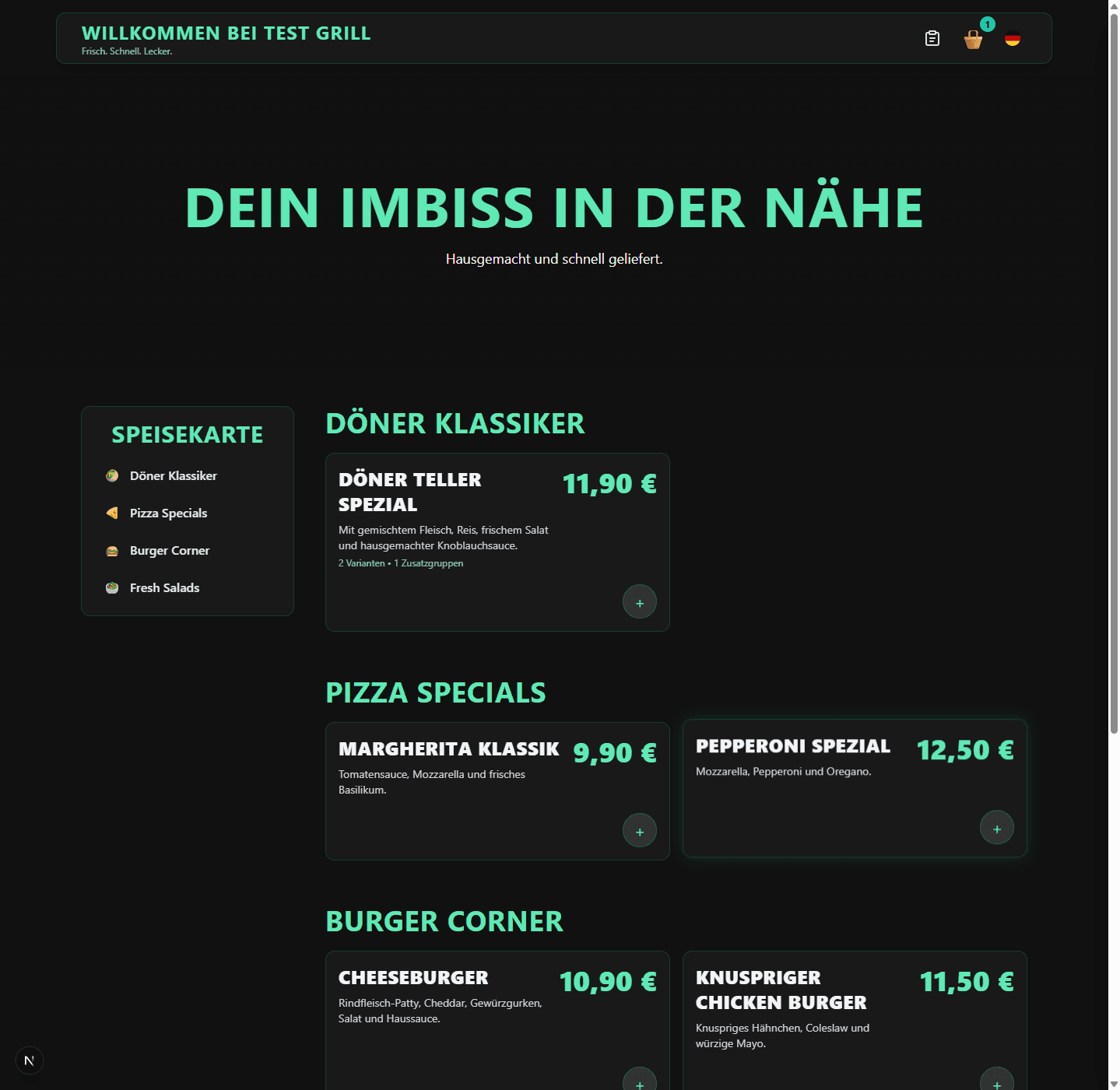
Best for standout local brands with strong visual identity.
Switching templates changes visuals, not critical capabilities.
Categories, products and option groups come from one shared stack.
Ordering rules and Stripe payments work independently of the selected design.
Guest tracking and internal board use the same order status.